

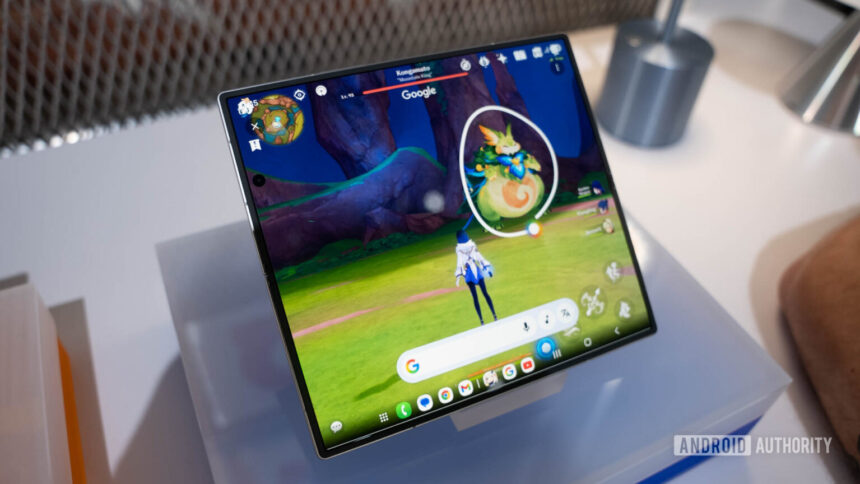
Google is expanding Gemini’s upgraded overlay, bringing Circle to Search-style screen selection directly into the AI assistant.
Users can now circle, highlight, or select anything on-screen and instantly ask Gemini for more context or answers.
Android users are now receiving the updated interface through Google app version 17.20.
Android users have long had to pick between the conversational smarts of Gemini and the pure visual ease of Circle to Search. That friction is finally going away as Google is rolling out a huge upgrade that basically bakes Circle to Search straight into the Gemini overlay.
Gemini is currently rolling out an improved overlay experience that enables users to circle, highlight or pick anything on their screen and then ask Gemini about it. Android Authority noticed signs of this merger as early as October, when a “Circle to select” button appeared in the Tools button within the Gemini overlay. A month later, Gemini’s Circle Screen feature was released to a limited number of users.